
FactaLog features
An engineer's working record should be written as the work happens, kept in date order, and still make sense to someone else a year later. FactaLog is designed for exactly that.
Engineering project log
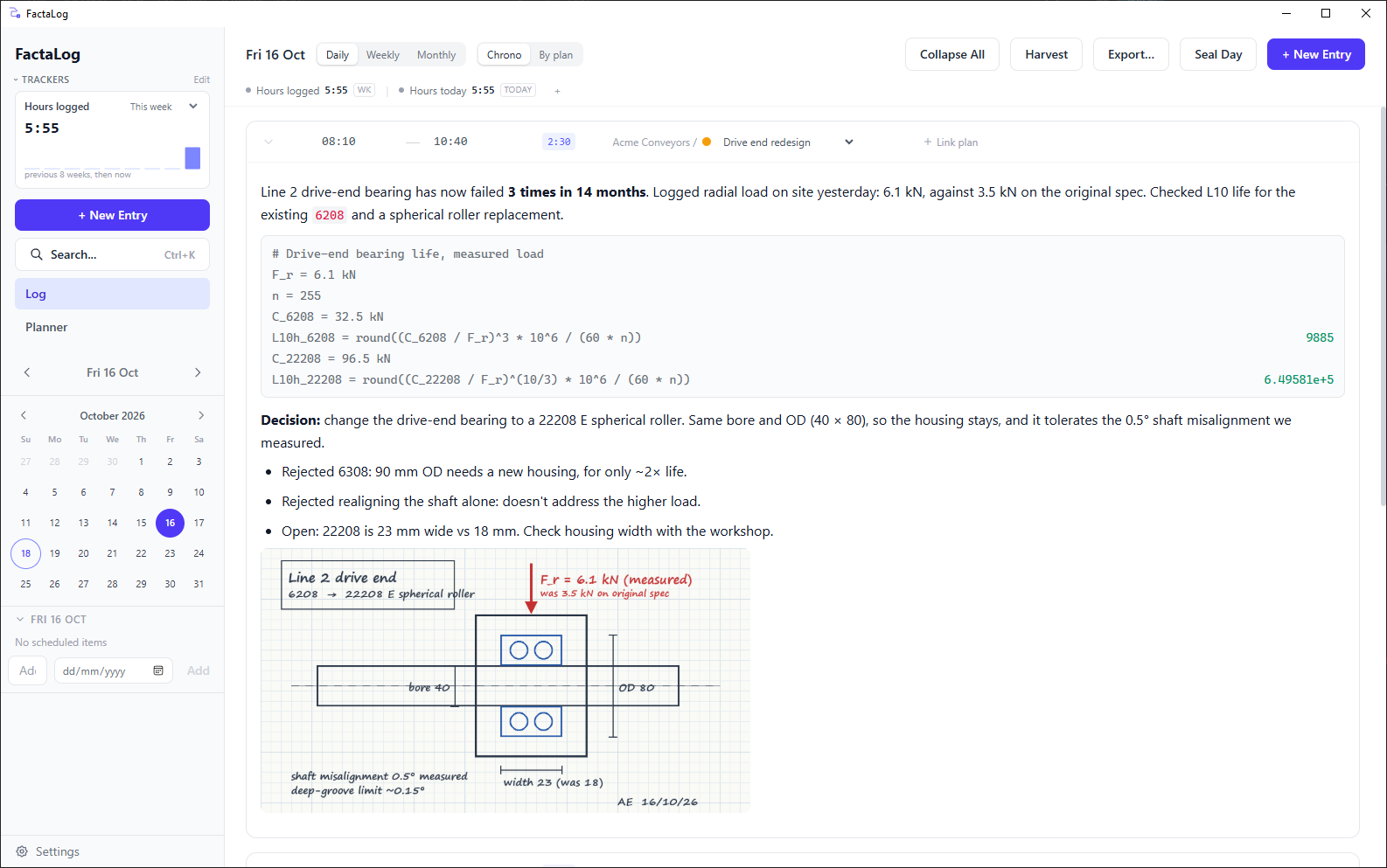
The daily log is the centre of FactaLog. Each day is a page; each entry on it belongs to a client and project. Write the way you would in a paper notebook, with headings, lists, tables, code and images pasted straight from the clipboard. Everything is saved as you type.
- Rich-text editor, keyboard first:
Ctrl+Nnew entry,Ctrl+←/→previous or next day,Ctrl+Ksearch. - Clients and projects organise every entry, so one day can cover several jobs without mixing them up.
- Paste or drop in photos, sketches and screenshots, and link to the documents that live elsewhere.
Time tracking and tasks
You record time on the entry you are writing. Start a timer on it, or type the start and end times afterwards; one entry can hold several stretches of work across the day. Every entry already belongs to a client, project and task, so by the end of the week your timesheet is already done.
- Trackers keep running figures in view. Hours today and hours this week are set up for you. Add your own for whatever you are measured on, such as billable share, hours per discipline or R&D-eligible time, with a target if you want one.
- Labels such as
billing:externalordiscipline:structuralgo on a client, project or task, and every entry under it inherits them. Trackers count by label. - Harvest export sends recorded time using your own Harvest credentials, directly from your device.
- Tasks and next actions with due dates and estimates, an inbox, per-project queues and a weekly review. Start an entry from a task and the client and project are filled in.
- Week view to plan the days ahead, and to seal a finished week in one step.
With Individual Pro, recorded time becomes invoices.
Design decisions and rationale
You find out whether a logbook was worth keeping when someone asks why. FactaLog keeps the decision in the dated entry where it was made, next to the calculation, sketch or test photo that drove it and a link to any document behind it. The reasoning and the evidence stay together.
There is no form to fill in. Write the decision as a short note covering what was decided, the alternatives, the reasons and the open risks, and full-text search will find it later. Our guide to recording engineering design decisions covers what is worth writing down, and the free engineering logbook template gives you a structure to start from.
Calculations, images and links
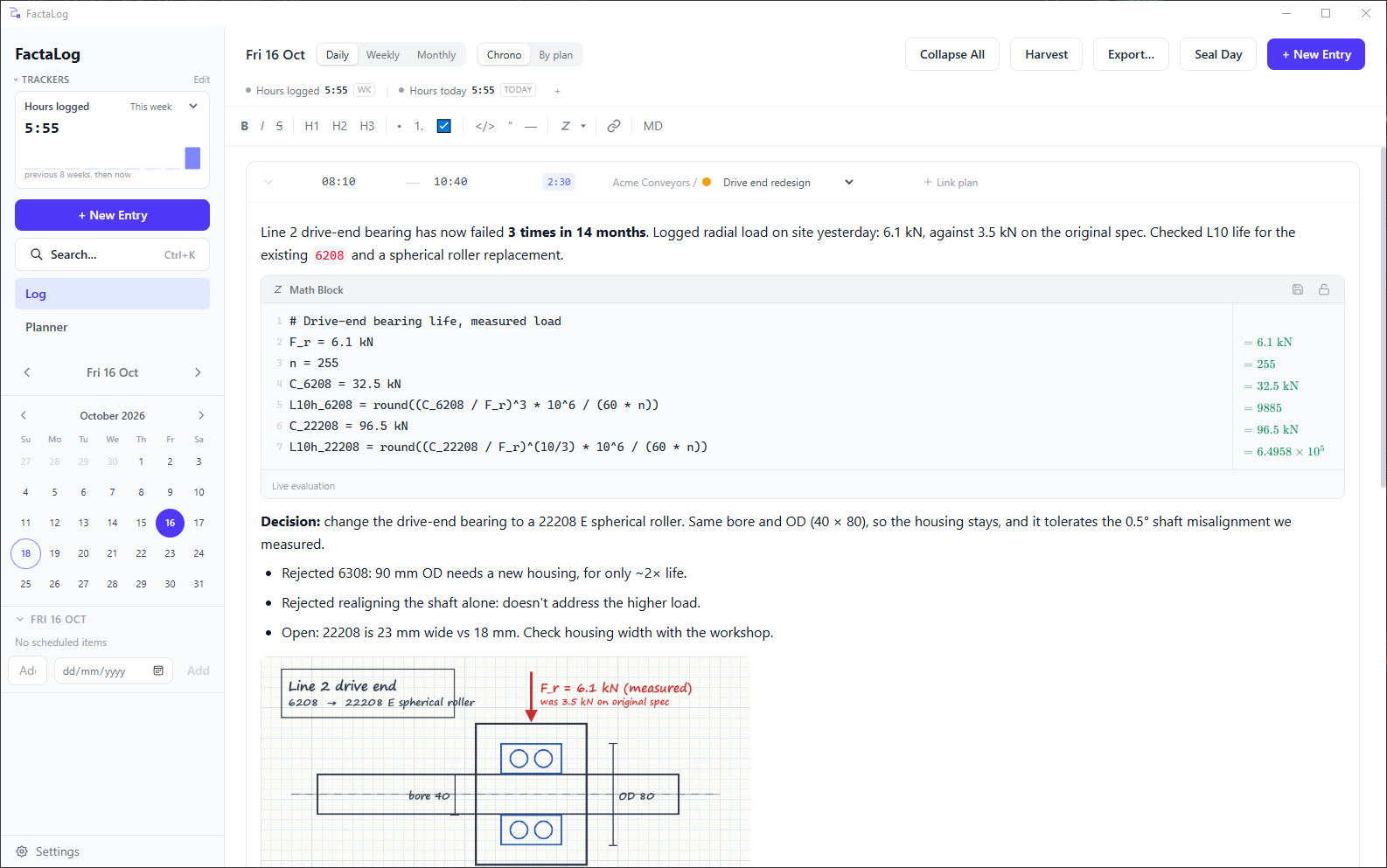
Insert a math block with Ctrl+Shift+M and write the calculation inline. It evaluates as you type and
understands engineering units, so a bearing load or a pressure-drop estimate sits in the entry that depends on it
and stays readable. Save calculations you reuse as templates.
Paste or drop images straight into the entry: a test photo, a screenshot of an FEA result, a marked-up drawing. They are stored with the entry and go with it into exports and archives. For documents kept somewhere else, such as a datasheet, a drawing register or a specification, put a link in the entry. Web and SharePoint links open in your browser, and OneNote links open the page in OneNote.
Project timeline and history
Every entry is dated and filed against a client and project, so the log doubles as the project history. Move day by day or week by week, or export one client or project as a single document to read its story in order.
Entries keep their own version history, so you can see how an entry read before it was edited. When an entry needs to be fixed in place, like a test result or a sign-off note, you can seal it, and FactaLog will show afterwards whether it has changed since.
Full-text search
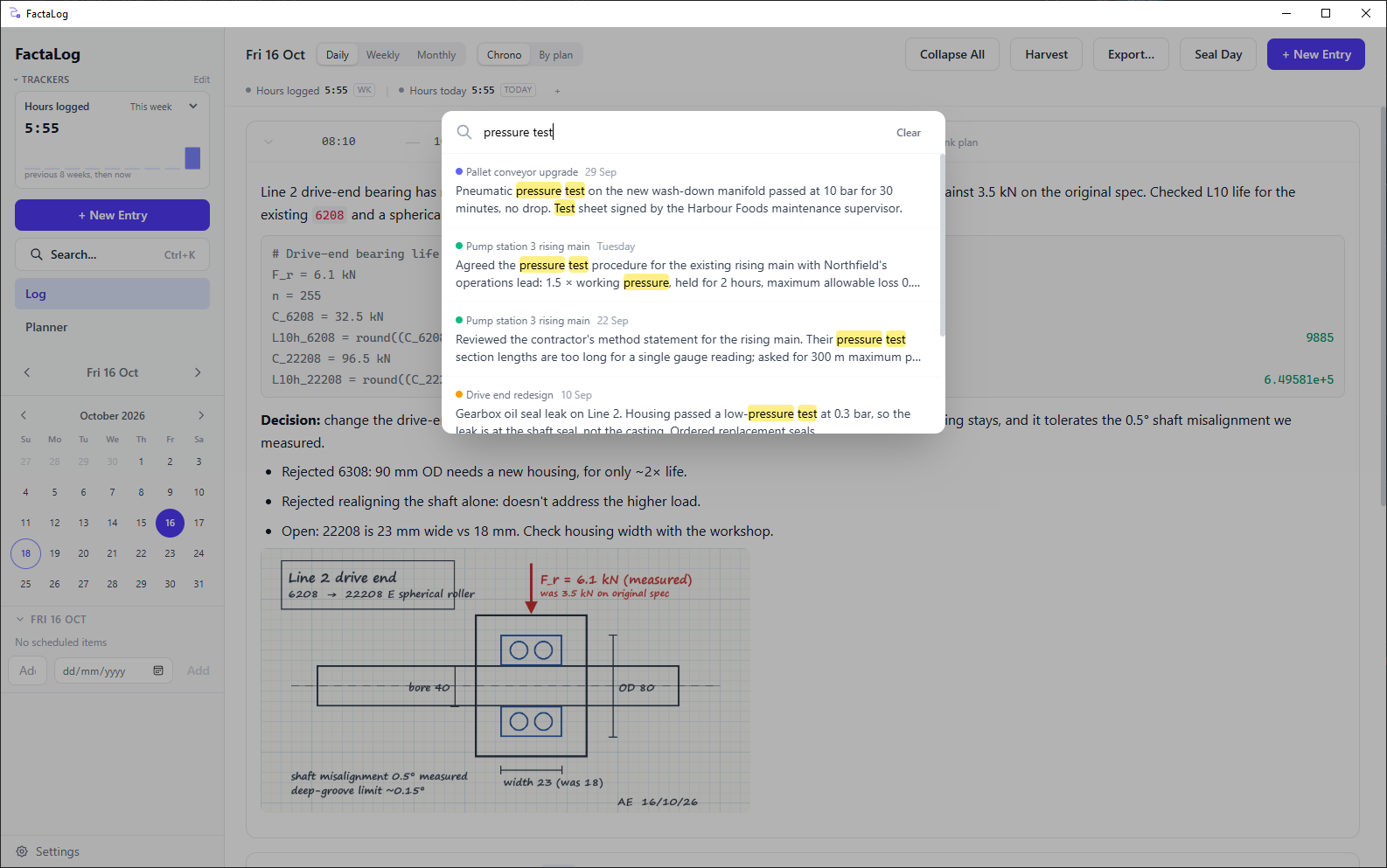
Ctrl+K searches every word you have written, across every project, with matches highlighted. Results
take you to the exact entry and day.
Exports and project summaries
Export part of the logbook, filtered by client, project or date range, to PDF, Markdown or CSV. Use it for a project handover, a client report, a timesheet or your own archive. Need the record for a design review? Filter to the project, export to PDF, and the decisions, calculations and dates come with it.
Local-first storage
Your logbook is an SQLite database on your own computer. FactaLog works fully offline, and the free version needs no account and no sign-up. We never learn who you are, so we can't send you marketing email. The app collects no telemetry. Archive the whole logbook to a single file, and restore it on another machine. More on security and data handling.
Scheduled backups
Choose a backup folder, such as a network drive or a folder your own cloud service syncs, and FactaLog writes a complete backup of the logbook and its images every 1, 4, 8 or 24 hours, and when you close the app. It keeps the newest three. If the logbook suddenly shrinks to a fraction of its size, it also holds on to the last full backup, so an accidental mass deletion cannot rotate your good copy away.
With Individual Pro
- Encrypted sync
- The same logbook on your desk machine, your laptop and the site PC, up to five devices. Content is encrypted on your device before it leaves; we do not hold the keys and cannot read it. Each device keeps working offline and catches up when it reconnects.
- Local interface for AI assistants
- Install the FactaLog extension into Claude Desktop from FactaLog's settings, or connect any other MCP client you choose. Ask it what you decided about the gearbox last spring, or for this month's hours by label. If you switch writes on, it can also file entries and tasks for you. The connection runs on your computer and nothing passes through us; what the assistant sends to its own provider is governed by that provider's terms.
- Invoicing
- Turn recorded time into invoices: create, issue, amend and preview billing per client and project.
Start your engineering logbook
Free for individuals, with no account and no expiry. Windows 10 and 11.